
What's On a Managed QR Asset Page?
Every engraved QR Asset Link tag points to a digital landing page — the online destination that travels with the asset. Depending on your plan, that page can display anything from a simple asset ID card through to a full compliance record with service history, certificates and fault reporting.
The page content is managed entirely through your dashboard. When asset details change, you update the page — the engraved QR code on the tag stays exactly the same.
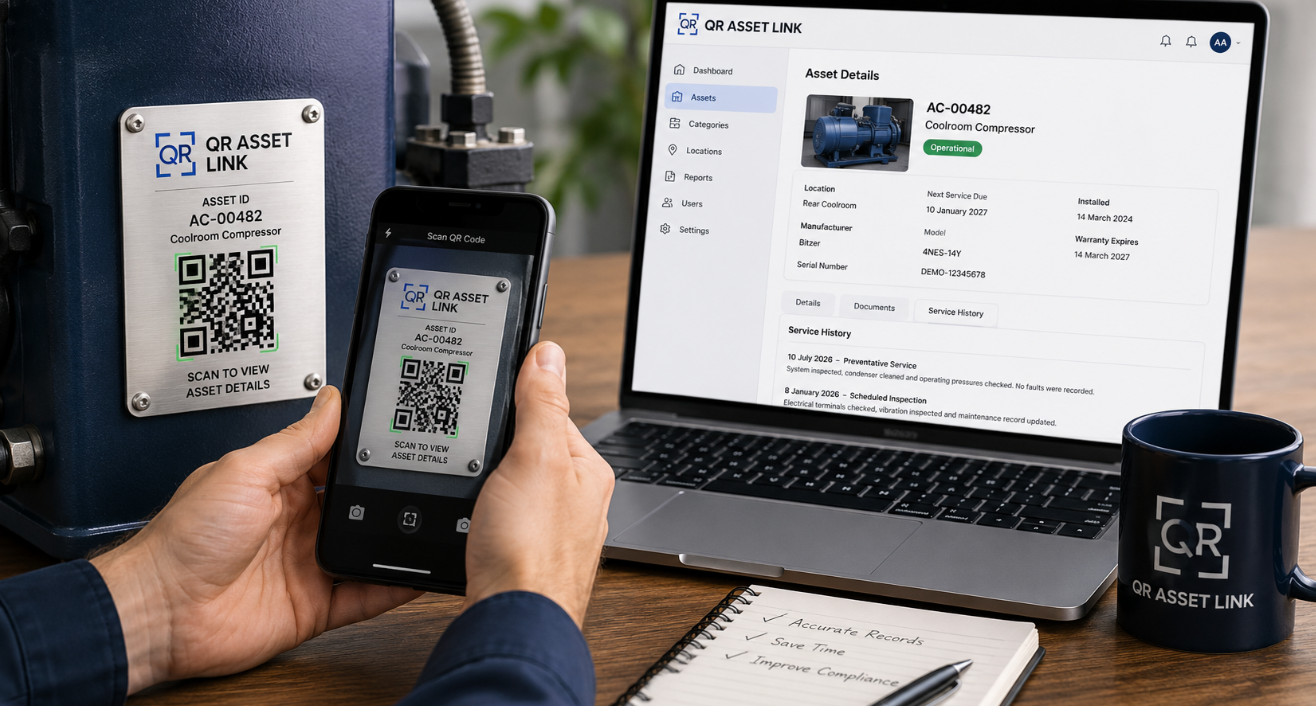
Everything an Asset Page Can Display
A managed QR landing page is a flexible, secure web page you control. Here is what it can include.
Asset Name / ID Number
The primary asset name, asset ID or tag number displayed prominently at the top of the page.
Manufacturer & Model
Manufacturer name, brand, model number and series information for quick equipment identification.
Serial Number
The asset's unique serial number from the manufacturer for traceability and maintenance records.
Current Location
Site, building, room or department where the asset is currently located. Updated when the asset moves.
Technical Specifications
Key technical specs such as dimensions, weight, power ratings, capacity, pressure ratings and operating ranges.
Photos (Multiple)
One or more high-resolution photos of the asset — ideal for visual identification and condition records.
Manuals & Datasheets (PDF)
Downloadable PDFs — operation manuals, installation guides, technical datasheets and wiring diagrams.
Certificates & Compliance Docs
Safety certificates, test reports, compliance declarations and regulatory approvals — hosted with the asset.
Warranty Information
Warranty terms, coverage period, supplier contact details and links to warranty claim documents.
Service & Maintenance History
A timeline of service events, maintenance tasks, parts replaced and technician notes for each asset.
Inspection & Calibration Expiry Dates
Dates for next inspection, testing, calibration or certification renewal — displayed as countdowns or calendar tags.
Fault-Report Button
A button that lets anyone who scans the tag report a fault — forwarded directly to your maintenance team.
Sample Page Layouts by Plan
Every plan includes the features above — here is how they look in practice as the level of detail increases.
Basic
Chiller Unit CU-042
Asset ID: A-CU-042
Location: Building B, Level 2
Contact: Maintenance Team
Ph: (08) 79371887
Standard
Chiller Unit CU-042
Asset ID: A-CU-042 | Serial: CH-2209-7834
| Manufacturer | CoolTech Industries |
| Model | CT-5000 |
| Capacity | 5.0 kW |
Compliance
Chiller Unit CU-042
Asset ID: A-CU-042 | Serial: CH-2209-7834
15 Mar 2026
Annual service completed — refrigerant top-up, coil cleaned
12 Dec 2025
Electrical safety test passed — AS/NZS 3000 compliant
02 Sep 2025
Compressor replaced under warranty
Ready to Build Your Asset Pages?
Tell us about your assets and we will set up managed QR landing pages tailored to your needs. Get a quote today.