
How It Works
Three straightforward steps to set up permanent, updateable QR codes for your assets. No complex integration required.
Create Link & Page
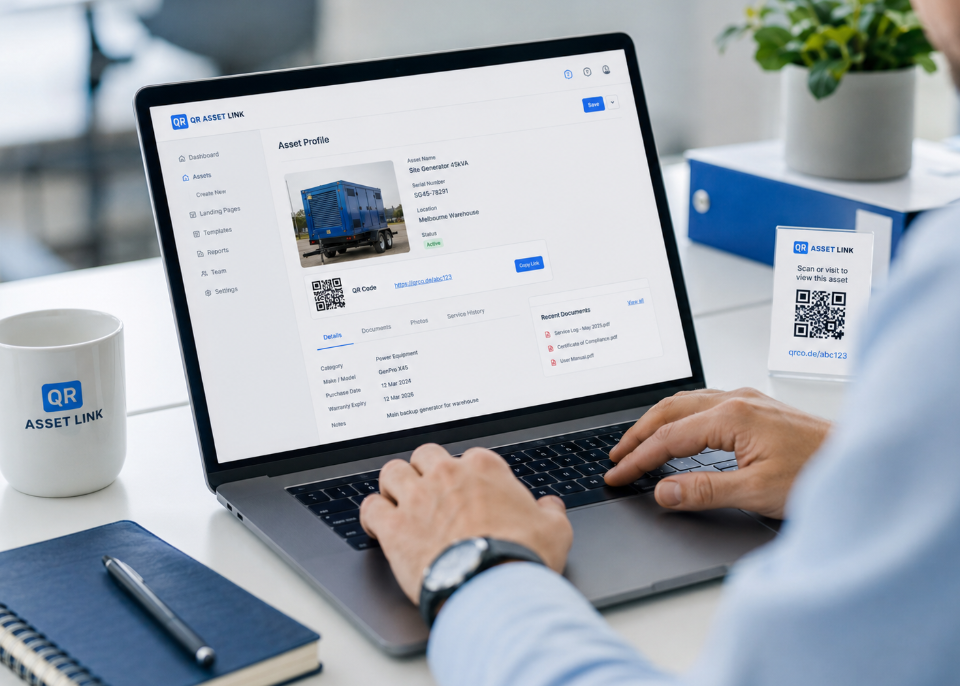
We set up a managed QR code destination and asset landing page for each of your assets. You provide the information you want to display — asset name, serial number, location, photos, service documents, compliance certificates, and any other relevant details.
Every asset gets a unique short link and, if you choose the Standard or Compliance plan, a dedicated hosted page that serves as the digital profile for that asset. All content is managed through your secure dashboard.
Engrave the Tag
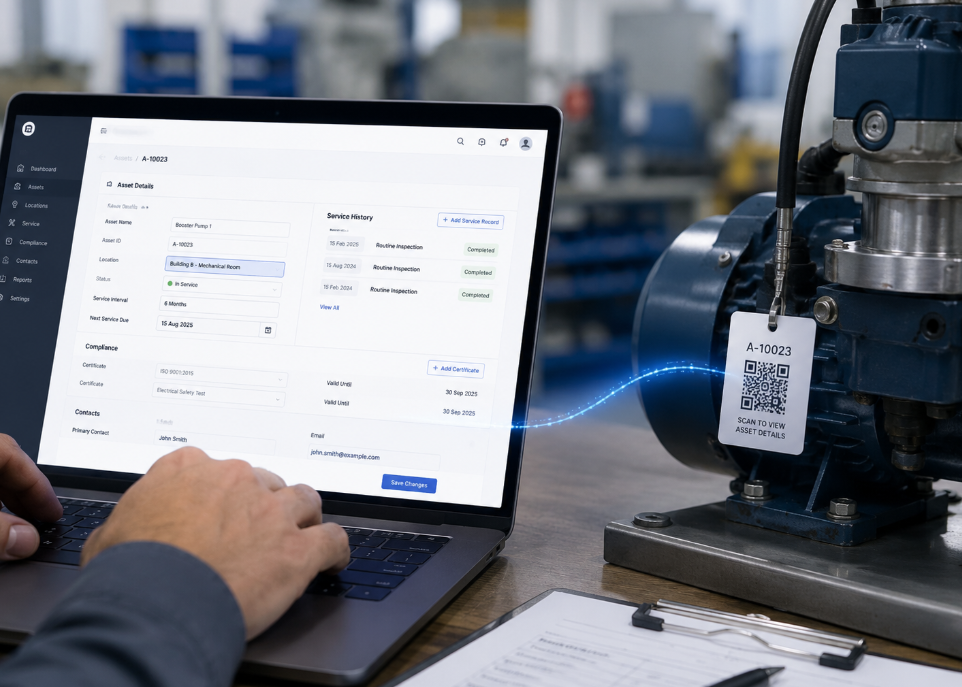
Once your asset links are set up, we provide a durable tag or label with the QR code printed or engraved on it. Tags are available in a range of materials suitable for indoor and outdoor environments, including UV-resistant adhesives, anodised aluminium engraving, and heavy-duty industrial plates.
The tag is applied to the asset — equipment, tooling, vehicle, infrastructure, or any item you need to track. Each tag contains the unique QR code that links back to your managed destination.

Update Information Anytime
When asset information changes — new location, updated compliance certificate, service record, or changed contact details — you update the destination page through your dashboard. The QR code engraved on the tag does not change.
This is the key advantage of QR Asset Link. A static QR code would require a new tag every time information changes. With QR Asset Link, the tag stays on the asset permanently, and only the digital destination is updated. No replacement, no re-engraving, no downtime.
Choose Your QR Approach
Compare the three options for adding QR codes to your assets.
Static QR Code
Points to a fixed URL. If the URL changes, the QR code breaks or points to the wrong destination.
- Requires a new tag to update
- No analytics or tracking
- No hosted information page
- Free to generate
Managed Short Link
A short QR Asset Link URL that redirects. We can change where it points — no new tag needed.
- Updateable destination at any time
- Permanent qrassetlink.com.au short URL
- No hosted asset page
- Redirect only — no content hosting
Hosted Asset Page
A full landing page hosted by QR Asset Link with asset details, photos, documents, and service records.
- Updateable content at any time
- Full analytics and scan tracking
- Photos, documents & service history
- Compliance document hosting
What happens if the information changes? The engraved QR code stays the same — we update the destination behind it.
Ready to Set Up Your Assets?
Get in touch to discuss your requirements or request a quote for your organisation.